
 United States


GuideConnect Upgrade Agreement
Exclusive access to new features, fixes and improvements
About the Upgrade Agreement
Every new GuideConnect licence comes with a 12-month Upgrade Agreement which entitles you to:
- Regular updates containing new features and improvements
- Access to UK telephone support and remote support
- Essential fixes that ensure GuideConnect stays up to date with Microsoft changes
- New 'Describe Image' feature for richer image descriptions
It's important to keep your Upgrade Agreement up to date.
Call Dolphin or contact your Dolphin Dealer to renew if your original Upgrade Agreement has expired.
Regular Updates Direct to Your Device
An Upgrade Agreement entitles you to all GuideConnect updates for the duration of your plan.
Enjoy new features and improvements with peace of mind that your GuideConnect always supports the latest changes to Windows.
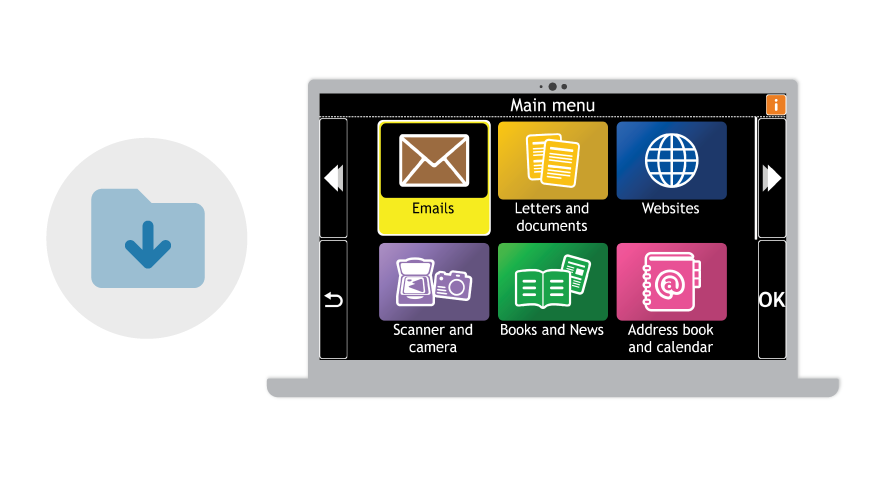
With an Upgrade Agreement, you won't need to wait for DVDs to arrive by post to update. Instead, GuideConnect will download updates for you automatically, and install them the next time you open GuideConnect.
Renew Your GuideConnect Upgrade Agreement
You can renew your GuideConnect Upgrade Agreement for the next twelve months at any time for £105 +VAT.
For complete peace of mind, we also offer renewal plans for up to five years.
If you're in the UK, contact Dolphin on 01905 754 577.
If you live outside the UK, contact your Dolphin Dealer to renew.

Dedicated Support for New Updates
The Dolphin Support Team is here to help if you experience any technical issues with GuideConnect.
To ensure you have the most secure and uninterrupted GuideConnect experience, you should always run the latest GuideConnect version. With an Upgrade Agreement, your GuideConnect software will always be up to date, including access to AI image descriptions and the latest features.
If you are running an older version of GuideConnect, we may not be able to resolve any technical difficulties you have, as the technology will have moved on. We highly recommend you keep your software up to date.
Contacting Support
If you are based in the UK, the Dolphin Support Team in Worcester is available Monday to Friday from 8:30 am to 5:00 pm.
- Call 01905 754 577
- Book a time for Dolphin Support to call you
- Email [email protected]
- Use live chat on our website YourDolphin.com
Customers outside the UK can access support in their language and time zone through our network of trusted local dealers.

GuideConnect FAQs
Q. I bought GuideConnect with a Premium Plan. Is the Upgrade Agreement the same?
GuideConnect Upgrade Agreement is the new name for GuideConnect Premium Plan, but there are slight differences.
While all active Premium Plans will automatically be transferred to an Upgrade Agreement, features which were previously only available for customers with a Premium Plan - such as video calling and multiple email accounts - are now available for all GuideConnect customers.
Q. What happens if I choose not to renew my GuideConnect Upgrade Agreement?
If a GuideConnect Upgrade Agreement is not for you, you can still continue to use GuideConnect.
However, once the renewal date has passed, your GuideConnect software will not automatically update, this means that you may lose some functionality when Windows update their systems.
Additionally you will only be able to get email and live chat support from the Dolphin Support team.
An Upgrade Agreement ensures GuideConnect accessibility functions work in the way you expect.
Q. How can I find out when my GuideConnect Upgrade Agreement is going to expire?
A message is displayed in GuideConnect when your Upgrade Agreement is close to expiring.
You can also check when your GuideConnect Upgrade Agreement is due to expire within the product:
- From the main menu, choose 'Tools'
- Then choose 'About'
- Select 'Check my Upgrade Agreement'
-
GuideConnect then tells you when your Upgrade Agreement is due to expire.
Q. My Upgrade Agreement has expired and my GuideConnect is also out of date.
Can I still renew the Upgrade Agreement?
Yes, you can renew your GuideConnect Upgrade Agreement at any time, these rules apply:
- If your Upgrade Agreement expired less than 12 months ago, you will be charged a renewal fee.
This will add on twelve months to the original Upgrade Agreement expiry date.
- If your Upgrade Agreement expired more than 12 months ago, different renewal tiers apply:
- If your expiry date is 12-24 months out of date, you will be charged for a single upgrade.
- If your expiry date is 25-36 months out of date, you will be charged the equivalent of two upgrades.
- If your expiry date is over 36 months out of date, you will be charged a special upgrade price.
Please note:
Any renewal which is over 12 months out of date must also be purchased with a new GuideConnect Upgrade Agreement. This new agreement will begin from the day of purchase, and you can purchase multi-year upgrade agreements for up to five years in advance.
Upgrade costs
Customers with out-of-date software can upgrade to the latest version to stay up to date.
- 1 version out of date
The upgrade price is based on 30% of the single user licence cost. - 2 versions out of date
The upgrade price is based on 60% of the single user licence cost.
- 3 versions or more out of date
Customers can now update to the latest version and renew their SMA for approximately 83% of the RRP.

