 United States
SuperNova 25.02 Enhancing Reliability, Compatibility & Everyday Accessibility
Published:
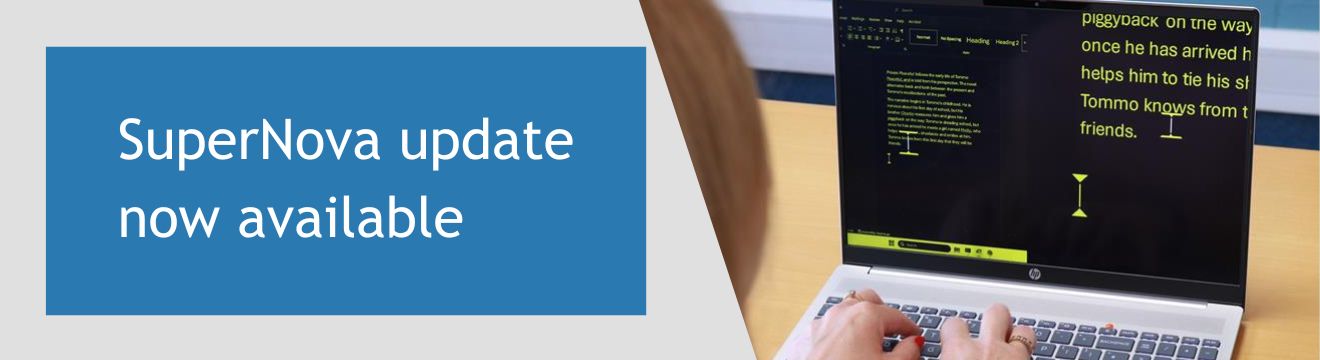
Dolphin is pleased to announce the release of SuperNova Magnifier and Screen Reader version 25.02.
This latest update focuses on improving reliability, compatibility, and everyday usability, helping ensure a more accessible experience when using SuperNova at work, in education and at home.
Version 25.02 includes a range of enhancements to core features, popular applications, Windows interaction and remote enterprise environments.
Software Maintenance Agreement (SMA)
Keep your SuperNova assistive tech up to date with the latest features, fixes and improvements with a Software Maintenance Agreement (SMA).
An SMA ensures SuperNova stays compatible with apps including Microsoft Office, Edge, Teams, WhatsApp and Copilot as they update.
It also gives you full access to the Dolphin Support Team by phone, remote support or a scheduled callback.
If you rely on SuperNova every day, an SMA gives you the most stable, reliable and secure experience.
You can renew annually or purchase up to five years in advance, to save money compared to buying individual upgrades.
Discover new and improved features in SuperNova 25.02
New and improved core features
SuperNova 25.02 introduces a new 4.5 magnification level, giving users greater flexibility when choosing a comfortable zoom size.
User settings are now easier to move between systems. Exporting and importing SuperNova user preferences has been extended to include custom Hotkey files and custom exceptions dictionaries, making it simpler to back up and transfer personalised configurations.
Navigation of the Windows Start Menu has also been improved, with faster and more responsive magnification and speech when exploring apps and options.
Enhanced accessibility for everyday applications
This release brings notable improvements to the accessibility of widely used applications:
- Google Chrome now offers a more reliable and consistent experience, improving overall navigation and interaction.
- Thunderbird email is more dependable when composing, reading and navigating messages, ensuring content is accessed and read as expected.
- Microsoft Word navigation has been refined, with more accurate reading of links that span multiple lines.
- Keyboard navigation across Microsoft Office applications is now smoother and more responsive.
SuperNova 25.02 also expands application support:
- WinSCP, a popular secure file transfer tool, is now accessible with SuperNova, making it easier to work with files across local and remote systems.
- REAPER, the digital audio production application, is now accessible, supporting more inclusive music recording, editing and production workflows.
Improvements to the Windows Experience
Interaction with Windows itself has been further enhanced. Popup menus within Windows notifications are now spoken, allowing full access to the options they contain.
On the Windows Lock Screen, the password field is more accurately tracked and announced, making sign-in easier when returning to a locked computer.
Visual accuracy has also been improved in complex display setups. Scaled or rotated text now displays more reliably across applications when using SuperNova magnification, with confirmed improvements in areas such as Print Preview.
Behind the scenes, performance and stability have been improved through a series of fixes designed to ensure a dependable experience, particularly on Windows 11 systems.
Updates for SuperNova Enterprise
SuperNova Enterprise users will benefit from improved access in Microsoft Remote environments. Magnification and screen reading are now available within the Microsoft 365 App Remote Console, enhancing accessibility when working remotely.
The Enterprise Config tool has been updated to use the new SuperNova startup method, and legacy features no longer supported have been removed. Compatibility with Windows Smart App Control has also been improved.
Braille, input and classroom improvements
Braille users will see a corrected table display name, ensuring accuracy and consistency without changing expected behaviour.
Accessibility in education settings has also been improved. Students can now go directly to viewing a whiteboard without needing to load a camera first, helping ensure lessons are more immediately accessible.
The updated Whiteboard Assistant is available to download now: Learn more about Whiteboard Assistant
Highlighting behaviour has been refined to better track the cursor when working in HTML edit fields, improving accuracy in supported profiles.
Additional Fixes and Improvements
To explore the full range of what's new and improved in SuperNova, simply open the Latest Release Notes from the General menu in the SuperNova Control Panel.
SuperNova 25.02 continues our commitment to delivering powerful, flexible and intuitive accessibility tools for people with sight loss.
We’re excited for users to experience these improvements and look forward to sharing more updates soon.
Updating to SuperNova 25.02
The upgrade to SuperNova 25 will be rolled out to existing customers over the next few weeks.
Customers with a valid Software Maintenance Agreement (SMA) or SuperNova Upgrade Plan (SUP) will be notified when the update is available.
If you are using SuperNova 24 or earlier, or do not currently have an SMA or SUP, upgrading your licence is recommended to benefit from the latest enhancements.
To upgrade to version 25 in the UK, please contact the Dolphin office.
Customers outside the UK should contact the relevant International Dolphin Dealer.
Try SuperNova 25.02 Free with a 30-day trial
If you're new to Dolphin SuperNova, or you're currently using an earlier version, the best way to understand the improvements in version 25.02 is to try it for yourself!
A free 30-day trial lets you experience the benefits first-hand, including improved reliability, wider application support and everyday usability enhancements.
Whether you use magnification, speech, braille or a combination of features, SuperNova 25.02 is designed to help you work more comfortably and confidently with Windows.
You can install the trial on your own system and explore how the latest updates support your needs at work, in education or at home.
Explore SuperNova
SuperNova is a range of magnification and screen reading software for people who are blind or partially sighted. Discover how SuperNova can help you succeed at home, at work and in education.
Free 30-day Trial
30-day trials of all editions of SuperNova and Dolphin ScreenReader are available to download and are open to everyone. Product support is included for all customers during their trial.
Dolphin Blog
Looking for help and advice on assistive technology? Explore the Dolphin Blog to discover how assistive technology is helping people with sight loss around the world to succeed in education, at work and at home.
Share this story now:


